Next Simple VIM · Native Shell VIM
Vim keys. Native windows.
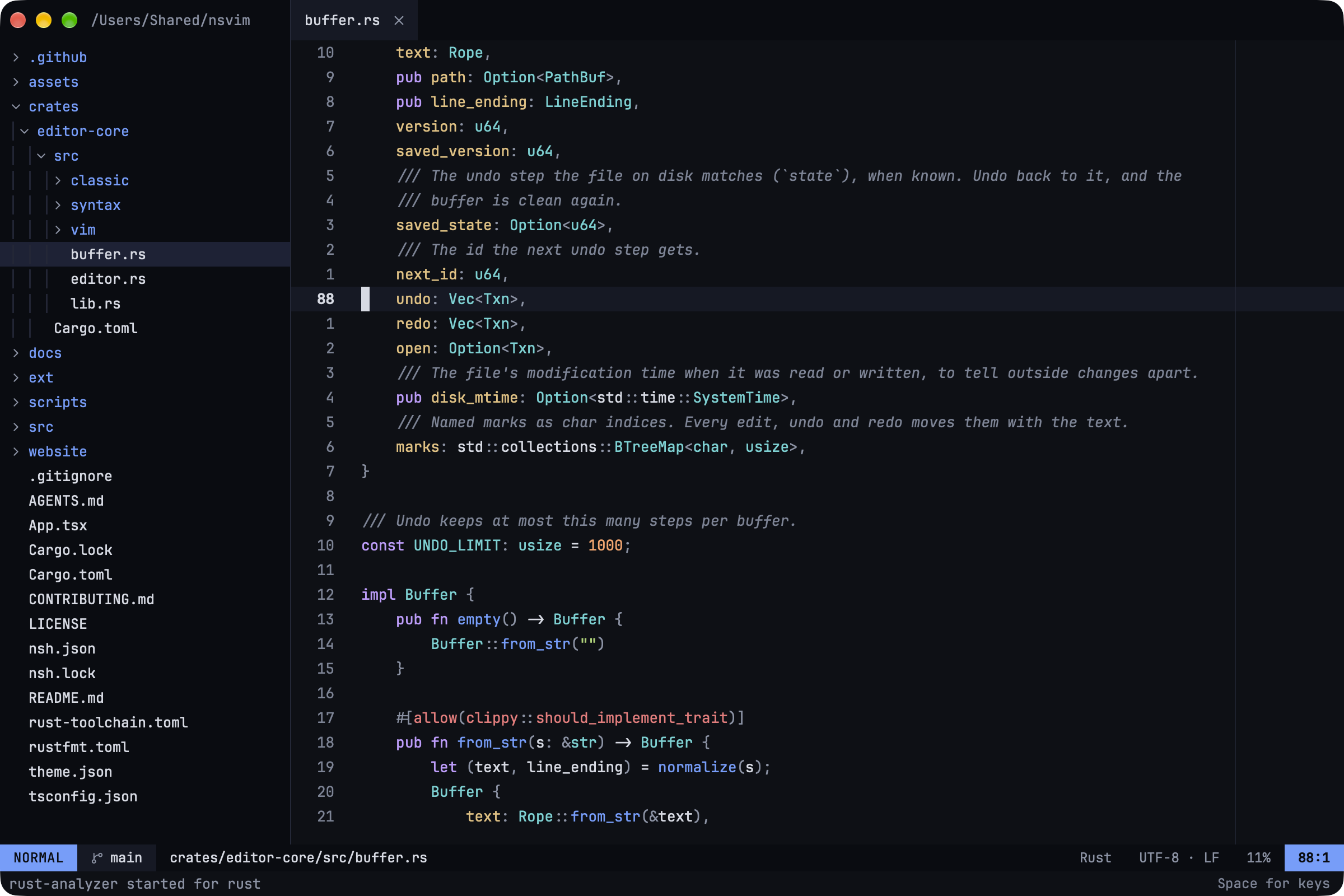
NsVim is a modal code editor for opening code, reading it, finding your way around it and making quick edits. Real Vim motions or classic shortcuts, tree-sitter and LSP, and a window drawn with GTK 4, AppKit or WinUI.
Linux · macOS · Windows · Open source
Install
curl -fsSL https://huacnlee.github.io/nsvim/install.sh | shirm https://huacnlee.github.io/nsvim/install.ps1 | iexgit clone https://github.com/huacnlee/nsvim && cd nsvim && cargo build --release --locked && nsh build --release -o target/release/nshNsVim runs on macOS 14 or later, Linux with GTK 4.14 or later, and Windows. The first launch runs a short setup: it can make nvim, vim and vi open NsVim with shell aliases, set $EDITOR and set git’s editor. \nvim still runs Neovim. Keys reference
Try it
Click in the text and type. The page’s editor uses the classic keys: Ctrl P goes to a file, Ctrl S saves, F1 lists every key.
Open it. Find it. Edit it.
From a folder in the terminal to a saved change, without leaving the keyboard.
Open a project.
After setup, nvim . opens the folder as the project, and so do vim . and vi . A path opens in the window that already shows its project.
Find your way.
A fuzzy file finder, project search through ripgrep, a file tree with git status, and go to definition from your language servers. F1 lists every key, with search.
Make the edit.
Counts, operators, text objects, macros and dot repeat, or classic shortcuts with multiple cursors. :w saves atomically, and undo survives a restart.
Small, fast and native.
- Real Vim, or classic keys
- Counts, operators, text objects, dot repeat, registers, macros, marks and Visual block. Or no modes at all, with multiple cursors. Pick one at first launch and switch any time.
- Code-aware
- Tree-sitter text objects and motions in 15 languages, and highlighting in 23, from Rust to TOML, YAML and Markdown. LSP with diagnostics, go to definition, references, hover, completion, rename and code actions.
- Works with your agent
- No AI inside. Claude Code, Codex or any CLI agent drives NsVim over its mcp or ctl command. It reads your selection, points you at code, and proposes changes that you accept with y.
- Safe with your files
- Crash recovery, undo that survives a restart, changed lines marked when a git checkout or an agent changes a file, and atomic saves.
- Native on each platform
- The UI is the platform’s own views, through Native Shell: GTK 4 on Linux, AppKit on macOS, WinUI on Windows. No file I/O or language server runs on the UI thread.
- Yours
- 16 themes. On Omarchy, the System look follows the desktop theme live. Any monospace font. Settings is a tab that writes plain config.toml.
A fork, with thanks.
NsVim is a fork of editor by Bjarne Oeverli and its contributors, under the MIT license. The editing core, the keymaps, the tree-sitter support, the agent socket and much of the design come from their work. Their copyright notice stays in LICENSE.
NsVim is a separate project. It does not follow editor’s releases. Report NsVim issues on GitHub.