Native disk-space explorer
See where your disk went.
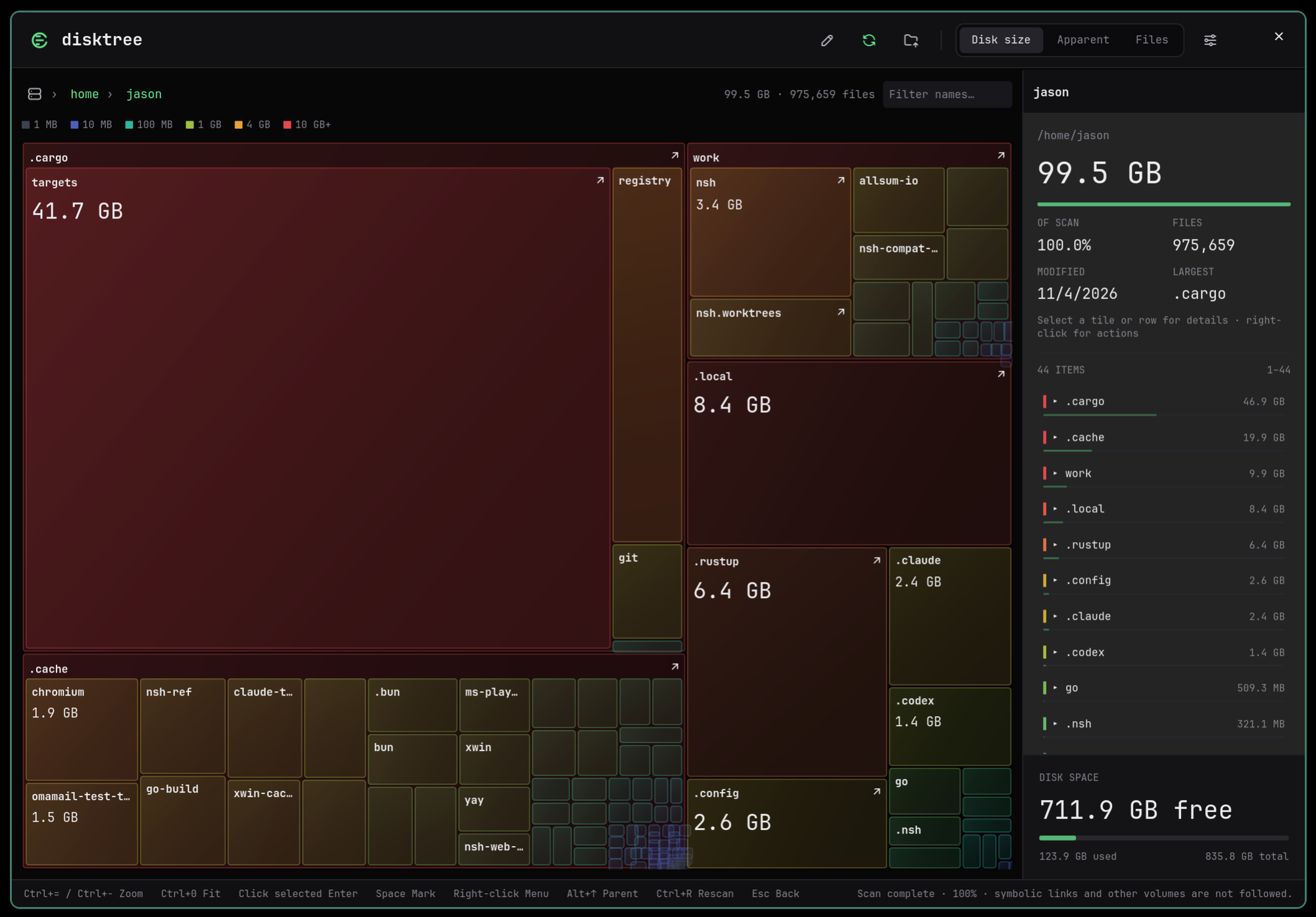
Disktree scans as soon as it opens and draws your disk as a nested treemap, colored by size. Move through it with a pinch, a drag or the keyboard, mark what you no longer need, and review every path before it goes.
macOS · Linux · Open source
Install
curl -fsSL https://huacnlee.github.io/disktree/install.sh | shmise use -g github:huacnlee/disktreeApple silicon on macOS 14 or later, or x86_64 Linux with GTK 4.14 or later. macOS builds are not notarized, so first launch may need approval in Privacy & Security. Installation guide ↗
Find it. Check it. Clear it.
One pass from a full disk to a reviewed list of what to remove.
Open it.
Disktree scans immediately and remembers the last directory. Point it at another folder any time.
Move through the map.
Pinch on a MacBook, drag with the mouse, or zoom from the keyboard. Click a tile to select it, click it again to enter. Breadcrumbs take you back in one click.
Mark and review.
Point at a tile and press Space. Marked items turn amber, and nothing is removed until you have read the full paths and confirmed.
A map you can trust with your files.
- Color by size
- Tiles run from slate through blue, teal and green to amber and red as they grow, so what takes the most space stands out first. Details name what each item is: code, Git data, caches, builds and more.
- Three ways to measure
- Disk size counts allocated blocks, Apparent counts logical bytes, and Files weights the map by file count.
- Deleting takes a decision
- Marking deletes nothing. Items move to the system Trash after review; permanent deletion and emptying the Trash each ask for separate confirmation.
- Follow the removal
- Progress shows what has been removed and the current path while items move to Trash or are deleted. The map and free space refresh when it finishes.
- Totals that say what they mean
- Hard-linked bytes are counted once. Symbolic links, other devices and cloud-only folders are not traversed, and unreadable paths are reported.
- Native, and self-contained
- Rust from scanner to interface, built with Native Shell. Large scan indexes stay in Rust, and Python, Node and nsh are not needed to run it.